> For the complete documentation index, see [llms.txt](https://docs.clickai.vn/clickai-docs/llms.txt). Markdown versions of documentation pages are available by appending `.md` to page URLs; this page is available as [Markdown](https://docs.clickai.vn/clickai-docs/clickai-docs-en/getting-started/personal-setting.md).
# Personal Setting
## To edit your personal information, follow the instructions below.
Access "**Settings**": Click on **your avatar** in the right corner of the screen, then select "**Settings**".
1. **Edit personal information:** In the settings, users can change their avatar, full name, date of birth and other personal information.
* **Save information:** After completing the editing, click "**Save profile**" to update the changes.
* **Change password and phone number:** In the "**Account Information**", users can change their password and phone number.
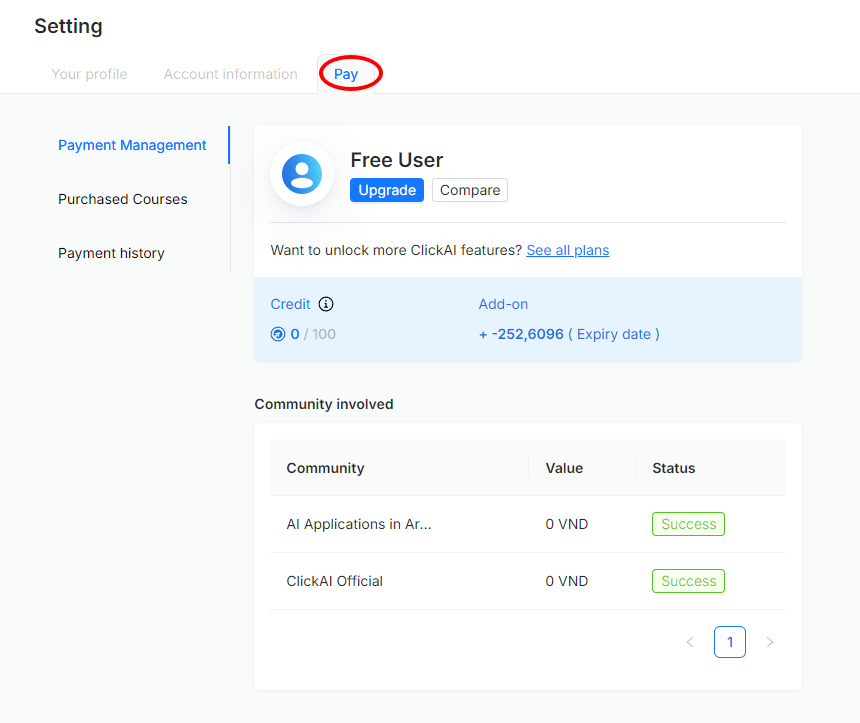
* **Payment Management:** The "**Pay**" section displays information about your service plans, participating communities, created assistants, and payment history.
* **Purchased Courses:** This section lists the courses that the user has purchased.
* **Payment History:** This section displays the user's payment transaction history.
2. **Customer Introduction:** Users can share referral links with friends by clicking "Customer Introduction".
Copy and share referral code to friends to get rewards.
3. **Change language:** The platform supports two languages: Vietnamese and English.
4. **Log out of account:** Click "**Log out**" to exit the login session.